

 Dermatoscope and Magnifiers
 Diagnostic Kits
 Vital Signs Monitors
 Stethoscopes and Accessories
 Otoscopes, Ophthalmoscopes, and Retinoscopes
 Reflex Hammers and Neurological Tools
 Scales and Measuring Devices
 Spirometers and Pulmonary Function Tests
 Electrosurgical Units and Accessories
 Cutting Instruments
 Grasping and Holding Instruments
 Hemostatic Instruments
 Specialized Surgical Sets
 Single-Use Procedure Trays and Packs
 Surgical Drapes, Gowns, and Covers
 Tissue Unifying Instruments
 Radiation Protection
 X-Ray Machines and Accessories
 Ultrasound Systems and Probes
 MRI and CT Scanners
 Radiology Consumables
 Bone Densitometers
 Fluoroscopy Equipment
 Imaging Tables and Positioning Aids
 Microscopes and Accessories
 Centrifuges and Separators
 Analyzers
 Incubators and Ovens
 Pipettes, Dispensers, and Lab Glassware
 Refrigerators, Freezers, and Storage Units
 Lab Consumables
 Sterilizers and Autoclaves for Lab Use
 Multi-Parameter Monitors
 Ventilators and Respiratory Support Devices
 Defibrillators and AEDs
 Infusion Pumps and IV Systems
 Patient Warmers and Cooling Devices
 Central Monitoring Stations
 Accessories
 Anesthesia Machines and Workstations
 Oxygen Concentrators and Delivery Systems
 Nebulizers and Inhalers
 CPAP/BiPAP Machines
 Airway Management
 Anesthesia Masks, Circuits, and Bags
 Humidifiers and Heaters
 Respiratory Therapy Accessories
 First Aid Kits and Cabinets
 Emergency Resuscitation Equipment
 Trauma Supplies
 Emergency Carts and Crash Carts
 Burn Care Products
 Bleeding Control
 Automated External Defibrillators (AEDs)
 Transport and Evacuation
 Wheelchairs and Accessories
 Walkers, Crutches, and Canes
 Prosthetics and Orthotics
 Physical Therapy Equipment
 Transfer Devices
 Bathroom Safety
 Orthopedic Traction and Tables
 Hot/Cold Therapy Packs and Units
 Beds and Mattresses
 Chairs and Stools
 Tables
 Cabinets and Storage
 Privacy Screens & Curtains
 Stands and Racks
 Linens and Textiles
 Lighting
 Autoclaves and Sterilizers
 Ultrasonic Cleaners
 Disinfectant Solutions and Wipes
 Sterilization Pouches, Wraps, and Indicators
 Instrument Trays and Containers
 UV and Ozone Disinfection Devices
 Washer Disinfectors
 Wound Care
 Gloves
 Masks and Respirators
 Catheters and Tubing
 Swabs, Applicators, and Sponges
 Incontinence Products
 Personal Protective Equipment (PPE)
 Dental Chairs and Units
 Handpieces and Burs
 Instruments
 Consumables
 Sterilization for Dental Use
 Orthodontic Supplies
 Endodontic Tools
 Slit Lamps and Tonometers
 Lensometers and Phoropters
 Ophthalmic Surgical Instruments
 Eyewear Frames and Lenses
 Contact Lens Supplies
 Vision Testing Charts and Devices
 Eye Care Consumables
 Laser Systems for Eye Care
 ENT Exam Chairs and Tables
 Endoscopes
 Audiometers and Hearing Tests
 ENT Instruments
 Nasal and Throat Packs
 Hearing Aids and Accessories
 Otology Supplies
 Fetal Dopplers and Monitors
 Delivery Beds and Tables
 Gynecological Instruments
 Neonatal Incubators and Warmers
 Breast Pumps and Accessories
 Contraceptive Devices
 Maternity Supports and Pads
 Neonatal Consumables
 Cystoscopes and Urethroscopes
 Dialysis Machines and Supplies
 Urological Catheters and Bags
 Lithotripters
 Prostate Treatment Devices
 Urinary Incontinence Products
 Kidney Stone Management Tools
 Consumables & Disposables
 EEG and EMG Machines
 Neurosurgical Instruments
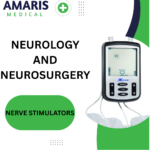 Nerve Stimulators
 Headrests and Positioning Aids
 Lumbar Puncture Kits
 Seizure Monitoring Devices
 Consumables
 Rehabilitation for Neurological Conditions
 ECG Machines and Accessories
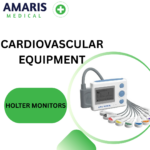 Holter Monitors
 Stress Test Systems
 Pacemakers and Defibrillator Accessories
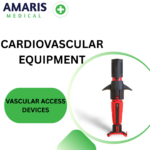 Vascular Access Devices
 Cardiac Catheters and Guidewires
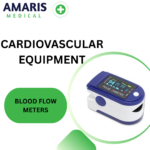 Blood Flow Meters
 Consumables
 Orthopedic Instruments
 Casts, Splints, and Padding
 Joint Replacement Supplies
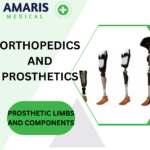 Prosthetic Limbs and Components
 Bone Grafts and Substitutes
 Traction Devices
 Orthopedic Braces and Supports
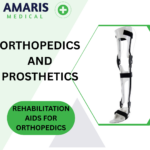 Rehabilitation Aids for Orthopedics
 Home Oxygen Therapy
 Hospital Beds for Home Use
 Mobility Aids
 Bathroom and Daily Living Aids
 Wound Care for Home
 Monitoring Devices
 Enteral Feeding Pumps and Tubes
 Hand Sanitizers and Dispensers
 Face Shields and Goggles
 Isolation Gowns and Suits
 Biohazard Waste Containers
 Air Purifiers and HEPA Filters
 Surface Disinfectants
 Sharps Containers
 Protective Barriers
 Cardiovascular & Endurance Training
 Strength Training & Weightlifting
 Functional Training & Core Conditioning
 Physical Therapy & Rehabilitation
 Sports & Outdoor Recreation
 Gym Flooring & Facility Equipment
 Fitness Monitoring & Accessories
 Kids & Novelties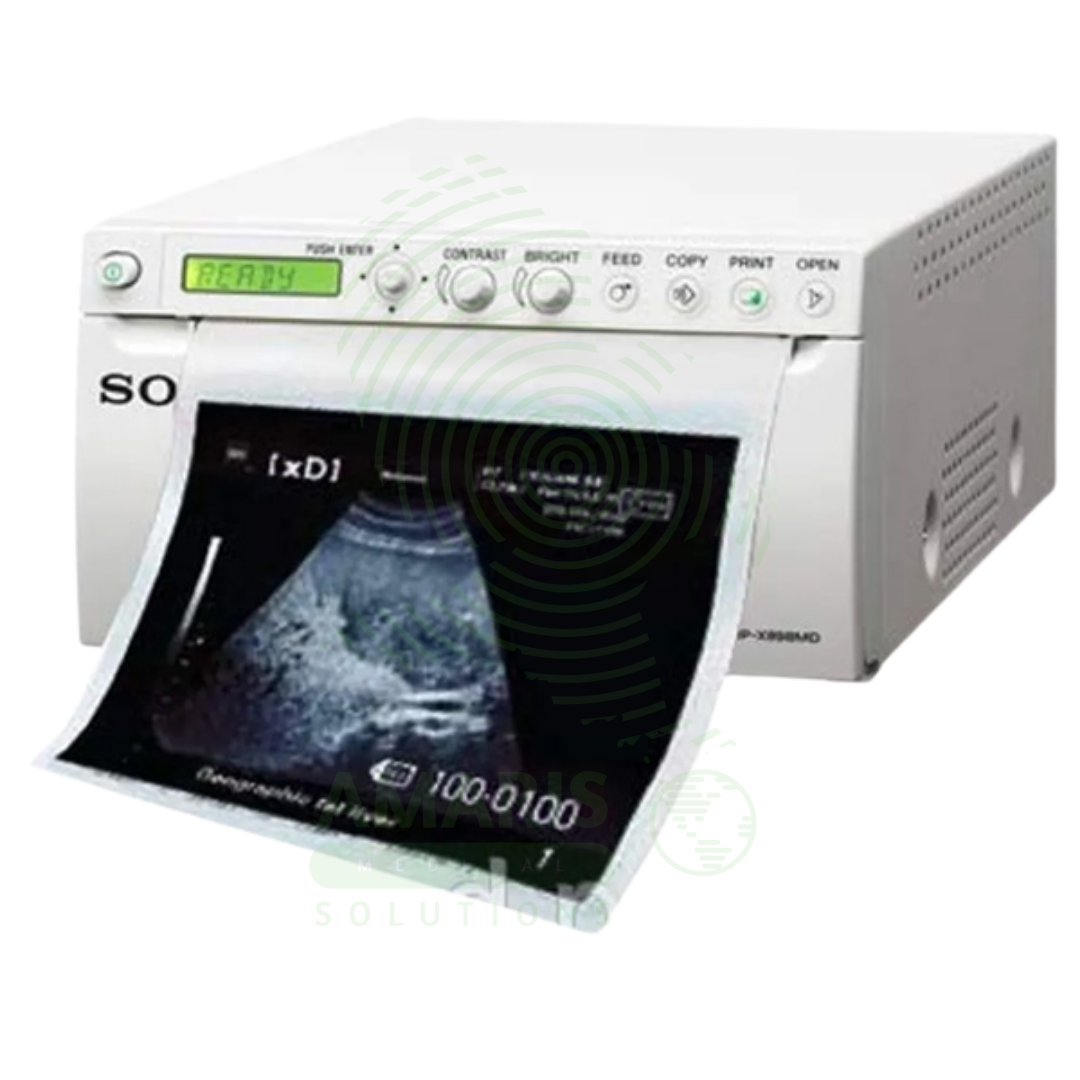

Sony Ultrasound Printer
WhatsApp Order
A Sony Ultrasound Printer is a specialized medical-grade printer that produces high-quality hard copies of ultrasound images. Utilizing dry thermal, laser, or dye-sublimation technology, it creates grayscale or color prints on photographic paper or film, providing a physical record for patient charts, referrals, and consultations. While its role has diminished with the rise of fully digital PACS workflows, it remains essential in settings requiring immediate tangible output, patient education, or where digital infrastructure is limited. Its performance is defined by high spatial and contrast resolution to accurately reproduce the subtleties of sonographic images.
Description
Sony Ultrasound Printer
PRIMARY CLINICAL & DIAGNOSTIC USES
1. Hard Copy Documentation of Ultrasound Images
-
Primary Use: Produces physical, printed copies of selected ultrasound images directly from the ultrasound machine, providing a tangible record for immediate review, inclusion in patient charts, or for sending with referral letters.
-
How it helps: For the sonographer and radiologist, the ultrasound printer transforms digital images captured during the examination into physical prints that can be handled, reviewed, and stored—preserving key findings in a format that does not require computer access and can be viewed anywhere. For the patient and clinician, a printed image provides a tangible record of the examination that can be easily shared, discussed, and kept for future reference, especially in settings where electronic systems are not universally accessible.
2. Patient Consultation and Education
-
Primary Use: Provides a printed image that the sonographer or physician can use during patient consultation to explain findings, point out anatomy, or show the progression of a pregnancy.
-
How it helps: For the physician explaining complex findings to a patient, a freshly printed ultrasound image becomes a powerful teaching tool—allowing them to point directly at structures, trace abnormalities, and help the patient visualize and understand their own anatomy in real time. For the patient, especially expectant parents receiving their first fetal images, a printed ultrasound picture provides a keepsake of profound emotional significance and a visual aid for understanding their medical condition.
3. Legal and Medical Record Archiving
-
Primary Use: In clinics or regions without fully integrated digital systems, printed images serve as the primary legal and medical record of the ultrasound examination, stored in the patient’s physical file.
-
How it helps: For the medical records department and health information manager, ultrasound printer output ensures that imaging documentation is permanently preserved in the patient chart—accessible to any provider who reviews the file, regardless of whether they have access to digital imaging systems. For the patient, having printed images in their chart means their imaging history follows them wherever their records go, even between facilities with incompatible digital systems.
4. Referrals and Communication
-
Primary Use: A printed image can be given to the patient to take to another specialist or healthcare provider, ensuring visual information is transferred even between facilities with incompatible digital systems.
-
How it helps: For the referring physician and consulting specialist, a printed image attached to a consultation request provides immediate visual context that enhances the written report—showing the exact finding being referenced and allowing the specialist to see the pathology before even seeing the patient. For the patient undergoing referral, this printed image ensures that the consulting physician has all relevant information at the time of the first visit, even when digital systems cannot communicate.
5. Procedural Documentation
-
Primary Use: Provides immediate hard-copy proof of needle placement, cyst aspiration, or other guided procedures performed under ultrasound.
-
How it helps: For the interventional radiologist and proceduralist, a printed image documenting the exact moment of needle placement or aspiration provides permanent proof of proper technique and successful intervention. For the patient and medical record, this printed documentation ensures that there is clear evidence of what was done and that it was performed correctly.
SECONDARY & SUPPORTIVE USES
1. Teaching and Presentation: Printing high-quality images is useful for creating teaching materials, posters, or presentations for medical conferences. For the medical educator and resident trainee, printed images provide material for teaching files and case discussions.
2. Backup for Digital Systems: Serves as a physical backup in case of digital archive failure or data corruption. For the imaging department, printed images ensure that critical findings are preserved even if digital storage is compromised.
3. Quick Reference in Procedure Rooms: A printed image can be taped to a light box in an operating or procedure room for quick reference during a surgery or intervention. For the surgeon performing a procedure based on ultrasound findings, having a printed image at eye level provides instant anatomical reference.
4. Veterinary Medicine: Used in veterinary practices to print ultrasound images for animal patient records. For the pet owner, receiving a printed ultrasound image of their animal helps them understand the diagnosis and treatment plan.
KEY PRODUCT FEATURES
1. BASIC IDENTIFICATION ATTRIBUTES
-
Type: A specialized printer designed to produce high-quality, monochrome (grayscale) or color images on photographic or thermal paper from medical imaging devices.
-
Designation: Medical Imaging Printer, Dry Film Printer, or Video Printer.
-
Common Variants:
-
Dry Film Printer (Laser or Thermal): The modern standard. Uses heat (thermal) or laser technology to develop images on a special dry silver-halide or dye-sublimation film/paper. No wet chemicals are required. Produces archival-quality, stable prints.
-
Wet Laser Imager (Obsolete): Used chemical developers and fixers. Largely replaced by dry printers.
-
Inkjet Printer (for color/Doppler): Some systems use specialized medical-grade inkjet printers to produce color prints, particularly useful for Color Doppler or 3D/4D obstetric images.
-
2. TECHNICAL & PERFORMANCE PROPERTIES
-
Print Technology:
-
Thermal Dry: Uses a heated print head on thermal paper. Fast and simple.
-
Laser Dry: Uses a laser to expose a dry silver film, which is then developed with heat. Offers superior grayscale resolution and density.
-
Dye-Sublimation (for color): Uses heat to transfer dye from a ribbon onto paper, producing continuous-tone color images.
-
-
Image Quality Metrics: Spatial Resolution (in dpi), Grayscale Bit Depth (number of shades of gray, typically 12-bit or 4096 shades for ultrasound), Optical Density (ability to produce deep blacks, crucial for ultrasound contrast).
-
Connectivity: Typically connects directly to the ultrasound machine via video cable (e.g., SVGA) or digitally via network (DICOM print) or USB.
3. PHYSICAL & OPERATIONAL PROPERTIES
-
Form Factor: Can be a compact desktop unit sitting beside the ultrasound machine or a larger freestanding unit.
-
Media: Uses rolls or sheets of specific-sized paper/film (e.g., 8.5"x11", A4, 11"x14").
-
Print Speed: Measured in seconds per print. Important for high-volume departments.
-
DICOM Print Support: The ability to receive and print using the DICOM Part 14 standard (GSPS - Grayscale Softcopy Presentation State), which ensures the printed image matches the calibrated display on the ultrasound screen.
4. SAFETY & COMPLIANCE ATTRIBUTES
-
Regulatory Status: Class I or Class II medical device (as an accessory to the imaging system).
-
Biocompatibility: Not applicable for patient contact.
-
Electrical Safety: Must comply with standards for medical electrical equipment.
5. STORAGE & HANDLING ATTRIBUTES
-
Storage: Store in a clean, dry environment. Protect print media from light, heat, and humidity.
-
Cleaning: Wipe exterior with a damp cloth. Keep paper path free of dust.
-
Media Handling: Load film/paper in subdued light to avoid fogging. Use before expiration date.
-
Maintenance: May require periodic print head cleaning or calibration to maintain image quality.
6. LABORATORY & CLINICAL APPLICATIONS
-
Primary Application: Used in hospital ultrasound departments, obstetrician/gynecologist offices, radiology clinics, and cardiac echo labs where hard copy output is still a required part of the workflow.
-
Workflow Integration: Acts as a peripheral output device for the ultrasound system, often becoming less critical as PACS and digital sharing become ubiquitous.
SAFETY HANDLING PRECAUTIONS
1. SAFETY PRECAUTIONS
-
Correct Printer Setup: Ensure the printer is configured to match the ultrasound machine's output signal (format, resolution) to avoid garbled or incorrectly sized images.
-
Patient Data Accuracy: When printing, ensure the patient ID, name, and date are correctly burned into the image border to prevent misidentification in the physical file.
-
Avoiding Waste: Use print preview functions on the ultrasound machine to select only necessary images, minimizing costly film/paper waste.
-
Heat and Electrical Safety: Dry printers generate significant heat. Ensure proper ventilation and do not place flammable materials near the exhaust.
2. FIRST AID MEASURES
-
Paper Jam: Turn off printer. Follow manufacturer's instructions to gently clear jam. Do not use sharp objects.
-
Thermal Burn: If the print head or exterior is hot, avoid contact. If burned, cool with water and seek first aid.
3. FIRE FIGHTING MEASURES
-
Flammability: Plastic housing, electronic components, and paper/film are combustible.
-
Extinguishing Media: Use CO₂ or dry chemical extinguishers for electrical fires.
Related products
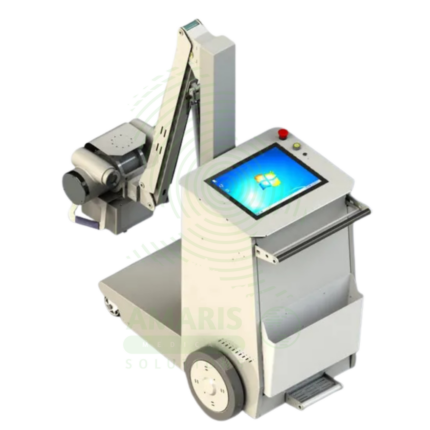
Digital & Analog X-ray Machine
A Digital & Analog X-ray Machine is a fundamental medical imaging device that uses a controlled beam of ionizing radiation to produce static or real-time images of the body's internal structures. It is indispensable for diagnosing fractures, lung diseases, dental issues, and many abdominal conditions. The transition from Analog (film-based) to Digital (CR or DR) technology has revolutionized the field, offering faster results, superior image manipulation, improved dose efficiency, and seamless integration into digital healthcare networks. Its operation demands strict adherence to radiation safety protocols (ALARA) to protect patients and staff, making it a cornerstone of safe, effective diagnostic medicine.
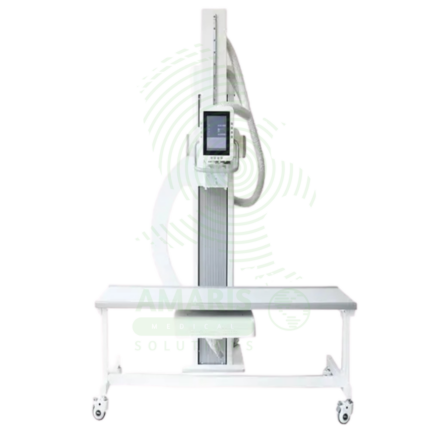
Digital U-arm X-ray
A Digital U-arm X-ray is a versatile digital radiography system designed for emergency departments, urgent care centers, and outpatient clinics. The U-arm configuration provides flexible positioning for chest, abdominal, skeletal, and extremity imaging with easy patient access for stretcher and wheelchair patients. Digital detectors produce immediate high-resolution images for rapid diagnosis, while the compact footprint allows installation in space-constrained settings. Essential for rapid, high-quality imaging in emergency and ambulatory care environments.
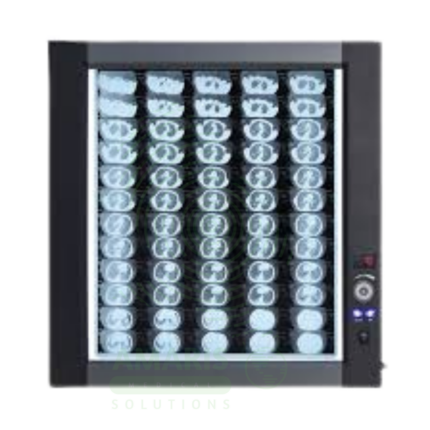
LED Medical Film Viewer
An LED Medical Film Viewer is a light box designed for viewing and interpreting analog X-ray films. Using LED backlight technology, it provides uniform, high-luminance illumination with instant on capability and long life. Available in single, dual, and multi-panel configurations, it supports side-by-side comparison of current and prior studies, pre-operative planning, and group teaching. Essential for radiology departments, orthopedic clinics, emergency departments, and operating rooms where film-based imaging is still used.
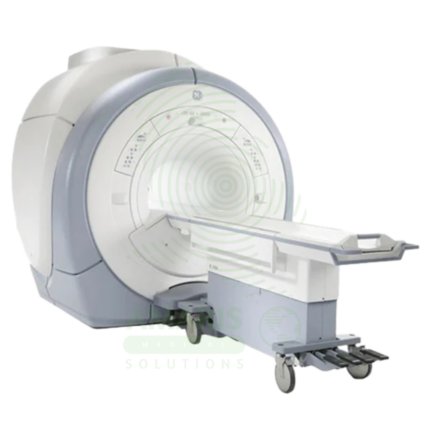
Magnetic Resonance Imaging
Magnetic Resonance Imaging (MRI) is a non-invasive diagnostic imaging modality that uses powerful magnetic fields and radiofrequency waves to produce detailed images of soft tissues, organs, and internal structures without ionizing radiation. It is the gold standard for imaging the brain, spinal cord, joints, muscles, and ligaments, and is essential for neurological, musculoskeletal, oncologic, and cardiovascular diagnosis. MRI provides exceptional soft tissue contrast, enabling precise anatomical characterization, tumor staging, and treatment planning. Strict safety protocols for ferromagnetic screening and contrast administration are essential for patient safety.
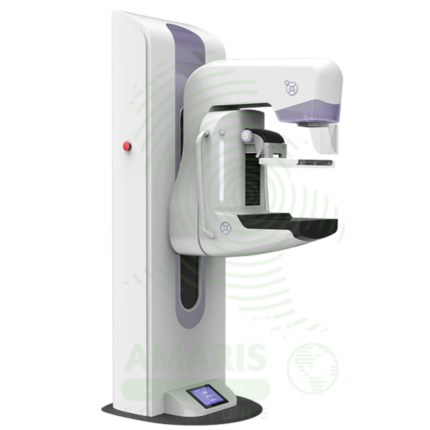
Mammography Machine
A Mammography Machine is a specialized, low-dose X-ray system designed exclusively for imaging the breast. It is the gold-standard tool for breast cancer screening and diagnostic evaluation, utilizing firm breast compression and high-resolution digital detectors to produce detailed images of breast tissue. Modern systems often incorporate Digital Breast Tomosynthesis (DBT or "3D mammography") to reduce tissue overlap and improve cancer detection. Its operation is highly regulated, requiring certified technologists, qualified interpreting physicians, and a rigorous quality assurance program to ensure patient safety, optimal image quality, and accurate early detection of breast cancer, which is vital for reducing mortality.
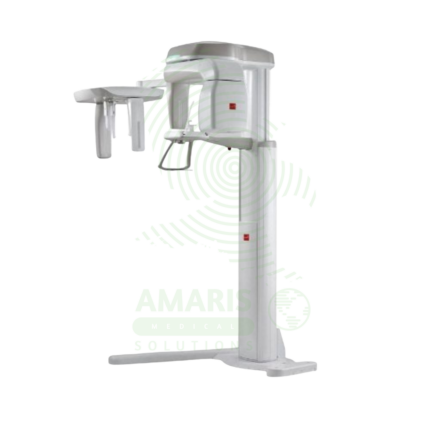
Panoramic X-ray Dental Machine
A Panoramic X-ray Dental Machine is a rotating extraoral radiographic system that produces a single, broad 2D image of the entire jaws, teeth, TMJs, and sinuses. By focusing on a curved "focal trough," it provides an efficient screening tool for wisdom teeth evaluation, orthodontic planning, and detecting large jaw pathologies. While offering a valuable overview with a relatively low radiation dose, its diagnostic utility is entirely dependent on precise patient positioning to avoid blurring and distortion. It is a cornerstone of modern dental diagnostic imaging, serving as a crucial first step in comprehensive oral assessment and treatment planning.
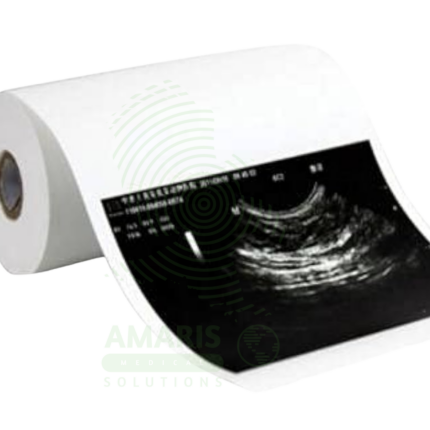
Ultrasound Paper
Ultrasound Paper (or film) is the specialized print media used in medical imaging printers to produce hard-copy grayscale or color prints of ultrasound images. Designed for compatibility with specific printer technologies (dry laser, thermal, dye-sublimation), it ensures high resolution, optimal contrast, and archival stability for patient records. As a critical consumable in the sonography workflow, its proper storage, handling, and use are necessary to maintain image quality and avoid waste. While digital systems have reduced its necessity, it remains vital for patient consultations, referrals, and in settings where physical documentation is required.