
 Dermatoscope and Magnifiers
 Diagnostic Kits
 Vital Signs Monitors
 Stethoscopes and Accessories
 Otoscopes, Ophthalmoscopes, and Retinoscopes
 Reflex Hammers and Neurological Tools
 Scales and Measuring Devices
 Spirometers and Pulmonary Function Tests
 Electrosurgical Units and Accessories
 Cutting Instruments
 Grasping and Holding Instruments
 Hemostatic Instruments
 Specialized Surgical Sets
 Single-Use Procedure Trays and Packs
 Surgical Drapes, Gowns, and Covers
 Tissue Unifying Instruments
 Radiation Protection
 X-Ray Machines and Accessories
 Ultrasound Systems and Probes
 MRI and CT Scanners
 Radiology Consumables
 Bone Densitometers
 Fluoroscopy Equipment
 Imaging Tables and Positioning Aids
 Microscopes and Accessories
 Centrifuges and Separators
 Analyzers
 Incubators and Ovens
 Pipettes, Dispensers, and Lab Glassware
 Refrigerators, Freezers, and Storage Units
 Lab Consumables
 Sterilizers and Autoclaves for Lab Use
 Multi-Parameter Monitors
 Ventilators and Respiratory Support Devices
 Defibrillators and AEDs
 Infusion Pumps and IV Systems
 Patient Warmers and Cooling Devices
 Central Monitoring Stations
 Accessories
 Anesthesia Machines and Workstations
 Oxygen Concentrators and Delivery Systems
 Nebulizers and Inhalers
 CPAP/BiPAP Machines
 Airway Management
 Anesthesia Masks, Circuits, and Bags
 Humidifiers and Heaters
 Respiratory Therapy Accessories
 First Aid Kits and Cabinets
 Emergency Resuscitation Equipment
 Trauma Supplies
 Emergency Carts and Crash Carts
 Burn Care Products
 Bleeding Control
 Automated External Defibrillators (AEDs)
 Transport and Evacuation
 Wheelchairs and Accessories
 Walkers, Crutches, and Canes
 Prosthetics and Orthotics
 Physical Therapy Equipment
 Transfer Devices
 Bathroom Safety
 Orthopedic Traction and Tables
 Hot/Cold Therapy Packs and Units
 Beds and Mattresses
 Chairs and Stools
 Tables
 Cabinets and Storage
 Privacy Screens & Curtains
 Stands and Racks
 Linens and Textiles
 Lighting
 Autoclaves and Sterilizers
 Ultrasonic Cleaners
 Disinfectant Solutions and Wipes
 Sterilization Pouches, Wraps, and Indicators
 Instrument Trays and Containers
 UV and Ozone Disinfection Devices
 Washer Disinfectors
 Wound Care
 Gloves
 Masks and Respirators
 Catheters and Tubing
 Swabs, Applicators, and Sponges
 Incontinence Products
 Personal Protective Equipment (PPE)
 Dental Chairs and Units
 Handpieces and Burs
 Instruments
 Consumables
 Sterilization for Dental Use
 Orthodontic Supplies
 Endodontic Tools
 Slit Lamps and Tonometers
 Lensometers and Phoropters
 Ophthalmic Surgical Instruments
 Eyewear Frames and Lenses
 Contact Lens Supplies
 Vision Testing Charts and Devices
 Eye Care Consumables
 Laser Systems for Eye Care
 ENT Exam Chairs and Tables
 Endoscopes
 Audiometers and Hearing Tests
 ENT Instruments
 Nasal and Throat Packs
 Hearing Aids and Accessories
 Otology Supplies
 Fetal Dopplers and Monitors
 Delivery Beds and Tables
 Gynecological Instruments
 Neonatal Incubators and Warmers
 Breast Pumps and Accessories
 Contraceptive Devices
 Maternity Supports and Pads
 Neonatal Consumables
 Cystoscopes and Urethroscopes
 Dialysis Machines and Supplies
 Urological Catheters and Bags
 Lithotripters
 Prostate Treatment Devices
 Urinary Incontinence Products
 Kidney Stone Management Tools
 Consumables & Disposables
 EEG and EMG Machines
 Neurosurgical Instruments
 Nerve Stimulators
 Headrests and Positioning Aids
 Lumbar Puncture Kits
 Seizure Monitoring Devices
 Consumables
 Rehabilitation for Neurological Conditions
 ECG Machines and Accessories
 Holter Monitors
 Stress Test Systems
 Pacemakers and Defibrillator Accessories
 Vascular Access Devices
 Cardiac Catheters and Guidewires
 Blood Flow Meters
 Consumables
 Orthopedic Instruments
 Casts, Splints, and Padding
 Joint Replacement Supplies
 Prosthetic Limbs and Components
 Bone Grafts and Substitutes
 Traction Devices
 Orthopedic Braces and Supports
 Rehabilitation Aids for Orthopedics
 Home Oxygen Therapy
 Hospital Beds for Home Use
 Mobility Aids
 Bathroom and Daily Living Aids
 Wound Care for Home
 Monitoring Devices
 Enteral Feeding Pumps and Tubes
 Hand Sanitizers and Dispensers
 Face Shields and Goggles
 Isolation Gowns and Suits
 Biohazard Waste Containers
 Air Purifiers and HEPA Filters
 Surface Disinfectants
 Sharps Containers
 Protective Barriers
 Cardiovascular & Endurance Training
 Strength Training & Weightlifting
 Functional Training & Core Conditioning
 Physical Therapy & Rehabilitation
 Sports & Outdoor Recreation
 Gym Flooring & Facility Equipment
 Fitness Monitoring & Accessories
 Kids & Novelties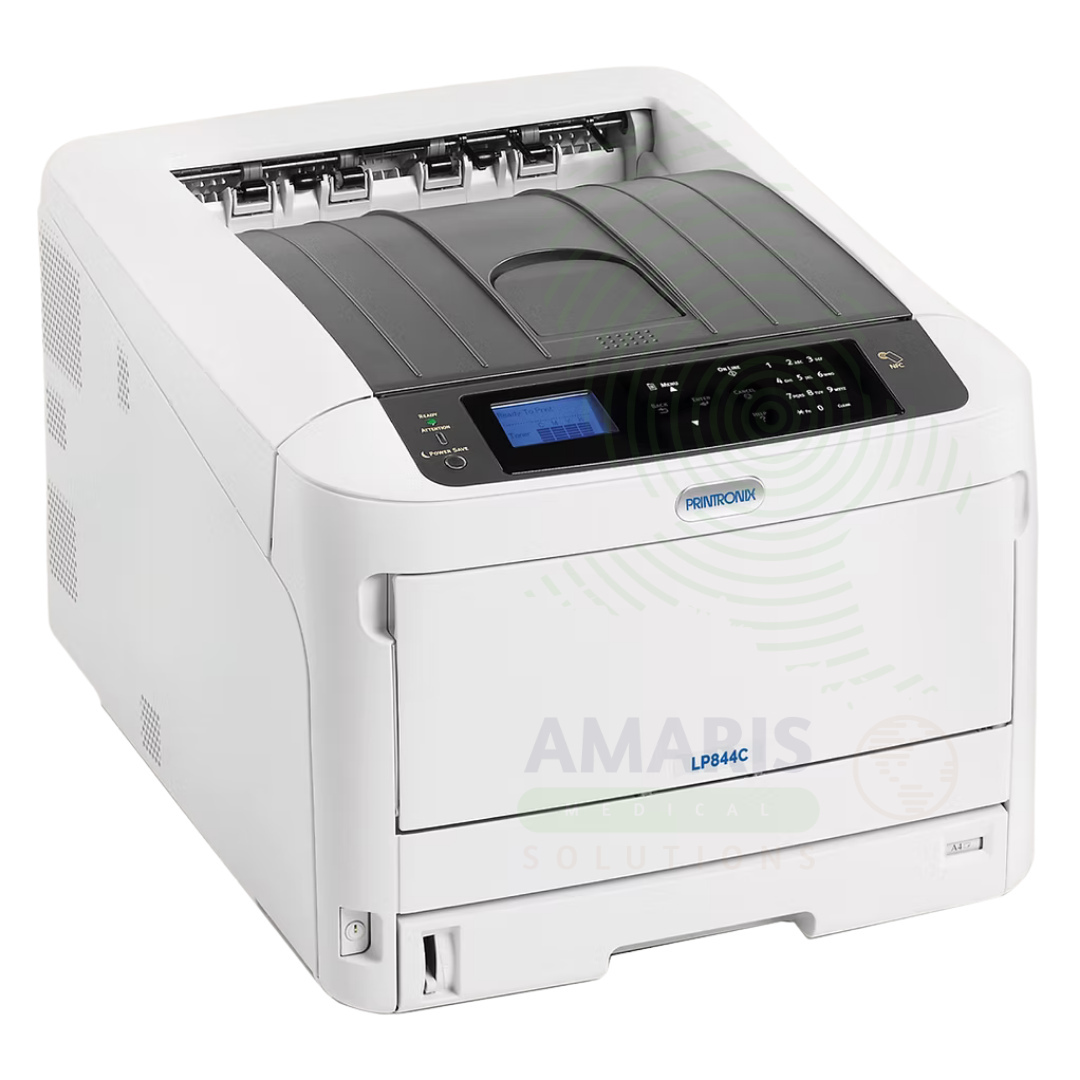
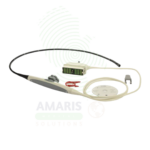

Medical Printer
$1.00
WhatsApp Order
A Medical Printer is a specialized printing device designed to produce high-quality hard copies of diagnostic images from ultrasound, echocardiography, CT, MRI, and X-ray systems. Using thermal, dye-sublimation, or high-resolution inkjet technology, it produces images with the grayscale and color accuracy required for clinical interpretation. Medical printers support DICOM print protocol for direct printing from imaging modalities and PACS, and are essential for providing patients with tangible images, documenting medical records, and supporting surgical planning and medical education.
Description
Medical Printer
PRIMARY CLINICAL & DIAGNOSTIC USES
1. Hard Copy Output for Diagnostic Imaging
-
Primary Use: Produces high-resolution, permanent prints of diagnostic images including ultrasound, echocardiography, CT, MRI, and X-ray images. Medical printers use specialized thermal or dye-sublimation technology to produce images with the grayscale and color accuracy required for clinical interpretation.
-
How it helps: For the radiologist, cardiologist, and sonographer, the medical printer provides tangible, permanent records of diagnostic findings that can be reviewed on light boxes, included in patient charts, and shared with referring physicians. For the patient, printed images offer a tangible record of their examination that can be taken to specialists, kept for personal records, or used for monitoring disease progression over time.
2. Documentation for Patient Records and Referrals
-
Primary Use: Provides hard copy documentation of ultrasound images, echocardiograms, and other diagnostic studies for inclusion in patient medical records. Printed images can be attached to referral letters, sent to consulting physicians, or included in surgical planning documentation.
-
How it helps: For the clinician and medical records department, printed images provide a permanent, easily accessible record that does not rely on electronic systems—ensuring that critical diagnostic information is available even when digital systems are inaccessible. For the patient, printed images facilitate communication between providers and ensure that their imaging results are available for consultations at other facilities.
3. Obstetric and Fetal Imaging Prints
-
Primary Use: Produces high-quality prints of fetal ultrasound images for expectant parents, providing keepsake images that document pregnancy milestones. Medical printers can produce prints on standard paper or specialized media for enhanced durability.
-
How it helps: For the obstetrician and sonographer, providing printed fetal images enhances the patient experience and strengthens the provider-patient relationship—turning a medical examination into a meaningful personal experience. For the expectant parents, printed ultrasound images serve as cherished keepsakes that document their baby’s development and create a tangible connection before birth.
4. Surgical and Procedural Documentation
-
Primary Use: Prints images used during surgical planning, intraoperative guidance, and post-operative documentation. Surgeons may use printed images in the operating room for reference during procedures.
-
How it helps: For the surgeon and operating room team, printed images provide a reference that can be viewed without accessing digital workstations—allowing for quick review of anatomy, pathology, and planned approaches during procedures. For the patient, printed surgical documentation contributes to comprehensive medical records and facilitates communication with other providers.
5. Teaching and Education
-
Primary Use: Prints images for medical education, including teaching files, case presentations, and educational materials for patients and trainees. High-quality printed images support effective teaching and patient education.
-
How it helps: For the medical educator and clinician, printed images provide tangible teaching tools that can be annotated, displayed, and discussed without the need for digital displays. For students and trainees, printed images support learning and development of interpretive skills.
SECONDARY & SUPPORTIVE USES
1. DICOM Printing: Medical printers support DICOM print protocol, allowing direct printing from imaging modalities and PACS without requiring a separate computer.
2. Color and Grayscale Printing: Specialized printers support both color and grayscale printing for different imaging applications.
3. Thermal and Dye-Sublimation Technology: Different print technologies offer varying image quality, durability, and media options.
4. Portable Printers: Compact, portable medical printers for point-of-care use in clinics, emergency departments, and mobile imaging services.
5. Label Printing: Some medical printers also print patient identification labels, specimen labels, and barcodes.
6. Research Documentation: Used to print images for research studies, publications, and presentations.
KEY PRODUCT FEATURES
1. BASIC IDENTIFICATION ATTRIBUTES
-
Device Type: A specialized printer designed for printing medical images with high resolution and accurate grayscale or color reproduction.
-
Designation: Medical Printer, Ultrasound Printer, DICOM Printer, Thermal Printer, Dye-Sublimation Printer.
-
Types:
-
Thermal Printer: Uses heat to transfer dye onto paper; produces durable, high-resolution images.
-
Dye-Sublimation Printer: Uses heat to vaporize dye which permeates the paper; produces continuous-tone images with photographic quality.
-
Inkjet Printer: Specialized medical inkjet printers for high-quality color images.
-
Laser Printer: Medical-grade laser printers for document printing with some image capability.
-
-
Key Components:
-
Print Engine: Thermal head or dye-sublimation mechanism.
-
Paper Feed: Handles medical-grade media.
-
DICOM Interface: Network connectivity for direct printing from imaging modalities.
-
Media Trays: Accommodate various paper sizes.
-
2. TECHNICAL & PERFORMANCE PROPERTIES
-
Print Technology: Thermal, dye-sublimation, or high-resolution inkjet.
-
Resolution: Up to 300-600 dpi for thermal; 300 dpi for dye-sublimation; higher for inkjet.
-
Grayscale: 256 shades of gray for accurate medical image reproduction.
-
Color: Some printers support full-color printing for color Doppler, 3D/4D ultrasound, and nuclear medicine images.
-
DICOM Compatibility: Supports DICOM print protocol for direct printing from imaging devices.
-
Media: Thermal paper, dye-sublimation paper, glossy photo paper, or plain paper.
3. PHYSICAL & OPERATIONAL PROPERTIES
-
Size: Desktop or freestanding configurations; portable options available.
-
Interface: Network (Ethernet, WiFi), USB, DICOM.
-
Paper Sizes: Standard medical image sizes (8x10, 10x12, 14x17 inches) as well as standard letter and A4.
-
Print Speed: Varies by technology; thermal printers typically faster than dye-sublimation.
-
Warm-Up Time: Instant or minimal for thermal; short warm-up for dye-sublimation.
4. SAFETY & COMPLIANCE ATTRIBUTES
-
Regulatory Status: Class I or Class II medical device when marketed for medical imaging.
-
Electrical Safety: Compliant with medical electrical equipment standards.
-
DICOM Compliance: Certified for DICOM print protocol.
-
Media Safety: Medical-grade media meets requirements for patient records.
5. STORAGE & HANDLING ATTRIBUTES
-
Storage: Store in clean, dry location; protect media from light and humidity.
-
Cleaning: Follow manufacturer guidelines for cleaning print heads and rollers.
-
Media Storage: Store thermal paper away from heat and light to prevent premature darkening.
-
Maintenance: Regular cleaning; replace print heads and rollers as needed.
6. LABORATORY & CLINICAL APPLICATIONS
-
Primary Application: Hard copy printing of diagnostic ultrasound, echocardiography, and other medical images.
-
Clinical Role: Essential for providing patients with tangible images, documentation for medical records, and teaching materials.
SAFETY HANDLING PRECAUTIONS
1. SAFETY PRECAUTIONS
-
Electrical Safety: Keep away from liquids; unplug during cleaning.
-
Media Handling: Use approved medical-grade media for archival quality.
-
Printer Placement: Ensure adequate ventilation; avoid placing in direct sunlight.
2. FIRST AID MEASURES
-
Burn (Thermal Printer): If thermal head causes burn, cool area; seek medical attention if severe.
-
Paper Cut: If paper cut occurs, clean wound; apply bandage if needed.
3. FIRE FIGHTING MEASURES
-
Flammability: Paper and plastic components are combustible.
-
Extinguishing Media: Use water, foam, or CO₂ as appropriate for surrounding materials.
Related products
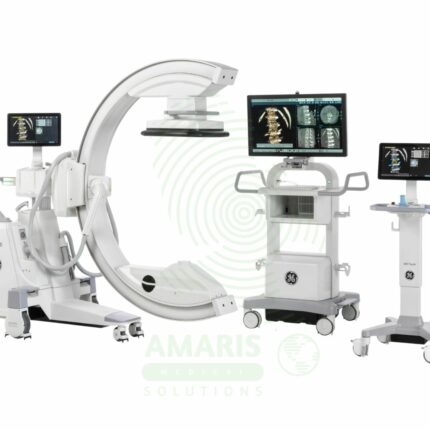
C-Arm Surgical System
A C-Arm Surgical System is a mobile fluoroscopic X-ray imaging device with a distinctive C-shaped arm connecting the X-ray tube and detector. It is an indispensable tool in modern operating rooms and interventional suites, providing real-time live imaging to guide complex procedures in orthopedics, spine surgery, pain management, and vascular interventions. Its mobility allows precise positioning around the patient, while features like pulsed fluoroscopy and dose monitoring are critical for radiation safety. Modern flat-panel systems offer high-resolution imaging and advanced capabilities like 3D Cone-Beam CT. Safe operation demands rigorous adherence to radiation protection protocols (ALARA) for both patients and the surgical team.
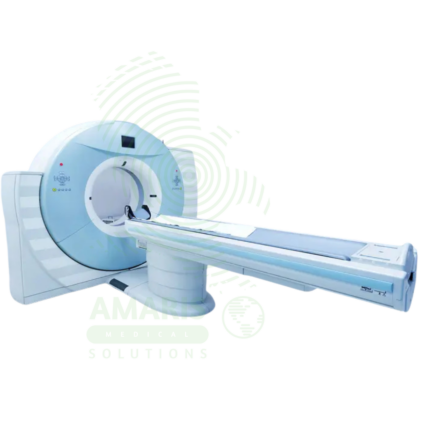
Computed Tomography (CT)
Computed Tomography (CT) is a diagnostic imaging modality that uses X-rays and computer processing to create detailed cross-sectional images of the body. Essential for trauma evaluation, cancer diagnosis, vascular imaging, and surgical planning, CT provides rapid, high-resolution images that guide life-saving decisions in emergency medicine, oncology, and surgery. Advanced multi-slice systems enable whole-body scanning in seconds with sub-millimeter resolution. Radiation dose optimization and contrast safety protocols are essential for patient safety.
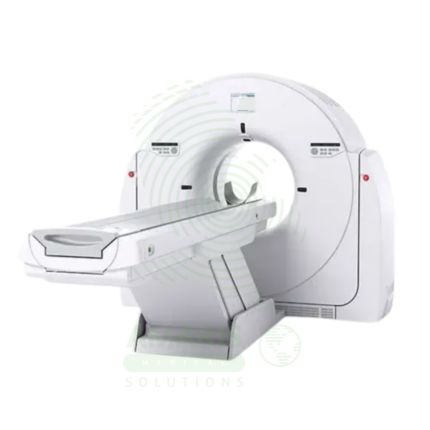
CT Scanner
A CT Scanner is an advanced diagnostic imaging device that uses a rotating X-ray source and detector array to create detailed cross-sectional images ("slices") of the body. By combining these slices, it generates comprehensive 2D and 3D views of bones, organs, and blood vessels, making it indispensable for trauma evaluation, cancer staging, vascular assessment, and guiding complex procedures. While offering unparalleled diagnostic clarity, its operation requires strict adherence to radiation safety principles (ALARA) and protocols for the safe use of contrast agents to maximize patient benefit and minimize risk.
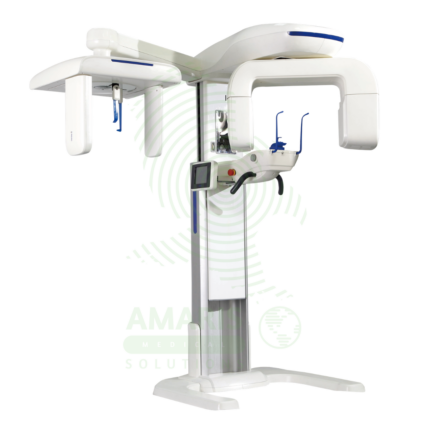
Dental X-ray Machine
A Dental X-ray Machine is a specialized radiographic system designed for imaging teeth, jaws, and facial structures. It encompasses intraoral units for detailed tooth-specific views, panoramic machines for wide screening shots, and advanced Cone Beam CT (CBCT) scanners for 3D surgical planning. Utilizing low-dose radiation and digital imaging technology, it is indispensable for diagnosing cavities, gum disease, infections, and planning treatments like implants, orthodontics, and oral surgery. Its safe operation requires strict adherence to radiation protection protocols, including the use of lead aprons, proper collimation, and operator training to ensure patient and staff safety while obtaining critical diagnostic information.
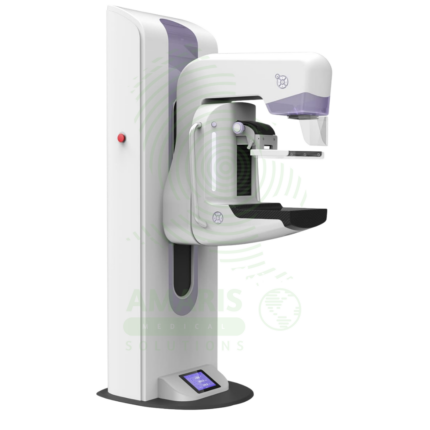
Digital Mammography System
A Digital Mammography System is a specialized X-ray imaging system designed for breast cancer screening and diagnosis. Using high-resolution digital detectors, it provides superior image quality with lower radiation dose compared to film mammography. Advanced systems offer tomosynthesis (3D) imaging, which improves cancer detection rates and reduces false positives. Used in breast imaging centers, radiology departments, and women's health facilities, it is the gold standard for early detection of breast cancer.
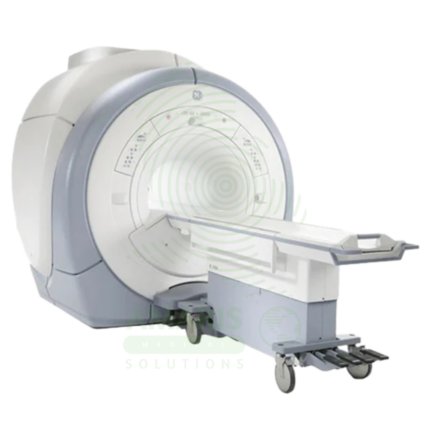
Magnetic Resonance Imaging
Magnetic Resonance Imaging (MRI) is a non-invasive diagnostic imaging modality that uses powerful magnetic fields and radiofrequency waves to produce detailed images of soft tissues, organs, and internal structures without ionizing radiation. It is the gold standard for imaging the brain, spinal cord, joints, muscles, and ligaments, and is essential for neurological, musculoskeletal, oncologic, and cardiovascular diagnosis. MRI provides exceptional soft tissue contrast, enabling precise anatomical characterization, tumor staging, and treatment planning. Strict safety protocols for ferromagnetic screening and contrast administration are essential for patient safety.
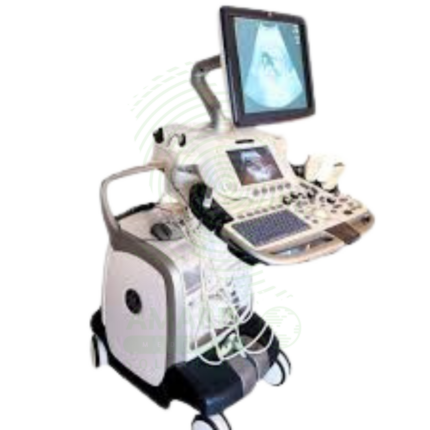
Ultrasound Machine
The Ultrasound Machine is a diagnostic imaging system that uses high-frequency sound waves to produce real-time, dynamic images of internal body structures, including soft tissues, organs, blood vessels, and developing fetuses. It provides non-invasive, radiation-free visualization using multiple transducer probes for abdominal, cardiac, obstetric, gynecological, vascular, and musculoskeletal examinations. With core features like B-mode grayscale imaging, M-mode for motion assessment, and comprehensive Doppler capabilities (Color, Power, Spectral), it offers essential diagnostic functionality for evaluating anatomy, physiology, and blood flow. Its portability, digital image storage, and user-friendly interface make it a practical tool for hospitals, clinics, emergency departments, and point-of-care settings across virtually all medical specialties, requiring proper operator training and adherence to probe disinfection protocols for safe and effective use.